To repair water damage in phones, tablets and laptops, switch off the device immediately, disconnect all cables and avoid charging it. Rapid response can minimize short circuits and internal corrosion. This guide describes the water damage repair process, some of the warning signs and when to call Fone Tech Grinstead in East Grinstead for professional assistance.
What Is Water Damage in Electronic Devices?
Water damage is caused by water getting into sensitive areas of the motherboard, battery, charging port, or connectors. The liquid damage to this mobile phone can result in electrical faults instantly or corrosion can occur over the next few days.
Various liquids pose various issues. Fresh water will leave mineral deposits, coffee will leave a residue, and fizzy drinks have sugar, which can build up on internal parts. Salt water causes corrosion, especially when it is combined with other corrosive elements.
Some devices also include a Liquid Contact Indicator (LCI) that will change colour if it comes into contact with moisture. This indicator can be checked by a technician but it does not indicate the extent of internal damage.
What Should You Do Immediately After Water Damage?
- In case of water damage to your phone, tablet or laptop, follow these steps before trying to repair it.
- Turn it off: Shut off right away. Don’t hit buttons over and over again to see if it functions.
- Disconnect everything: Remove charging cables, headphones, USB drives and other accessories.
- Take out parts that are easily accessible: Unplug the phone case, and remove the SIM and memory cards. Only remove batteries designed to be user-removable.
- Dry the outside: Use a clean, lint-free cloth to gently absorb any moisture that can be seen.
- Avoid heat: Never use hair dryers, heat guns, ovens or direct sunlight to dry electronic devices.
- Don’t use compressed air: Compressed air may force liquid deeper into sensitive parts.
- Do not charge it: If a potentially wet device is connected to a charger to determine if it is working, the charger must not be plugged in.
How to Drain Excess Liquid Safely
To help release trapped liquid, place the phone or tablet upside down with the charging port down and tap it against your palm. Never shake it vigorously or push anything, such as tissues, cotton buds, etc. into the port.
If the laptop is plugged in, unplug it and use the manufacturer’s procedures for cleaning up liquid spills. For some models, the liquid may be drained from the laptop by placing the laptop in an inverted V-shape on a towel; this is not recommended for all laptops.
Don’t turn it back on just to back up your files if it is switched off. Seek a technician’s advice on safe data recovery. .
How to Repair Water Damage in Phones, Tablets and Laptops
Repairing water damage will depend on the device and components that have been subjected to water damage. First, turn off the device and unplug it. A technician then checks the internal parts for corrosion, cleans areas affected by corrosion, and replaces parts that are damaged.
How to Repair Water Damage in Phones
Phone water damage repair starts with checking the charging port, battery, screen and motherboard. These parts are checked for moisture and corrosion and cleaned and replaced as necessary by a technician.
How to Repair Water Damage in Tablets
Tablet water damage repair includes the viewing of the display, battery, charging port, and internal connectors. The technician will either clean the motherboard or replace the damaged parts, depending on the damage.
How to Repair Water Damage in Laptops
Typically, laptop water damage repair involves the repair of the keyboard, motherboard, battery and charging circuit. A technician tests for liquid residue, cleans up damaged areas and replaces damaged keyboards or internal components as needed.
What Are the Common Signs of Liquid Damage?
Some devices fail right away, others will operate normally and fail at a later stage.
The following are signs of potential issues:
- Phone is not turning on after water damage: Water may have gotten into the battery or motherboard.
- Charging port leaked or damaged charging circuit: The charging port or the charging circuit may be damaged.
- After Exposure to Water, the screen flickers: Moisture may have been a factor in the display or connections.
- Distorted sound: Speakers and microphone may make muffled or distorted sounds.
- Unexpected shutdowns: Internal electrical components may be damaged.
Stop using and charging the device if the battery becomes swollen or excessively hot. Stay away from flammable materials and call for help.
Can a Water-Damaged Phone Be Repaired?
Yes, many water-damaged phones can be repaired. The outcome is dependent on the type of liquid, the time it spent inside, and the type of components damaged.
A technician can restore a device by cleaning it internally, repairing the motherboard or replacing its components. If corrosion is very deep or if there is extensive damage to the circuit, however, repair may be difficult or uneconomical.
Early inspection provides a better chance for technicians to find issues before they get worse.
Does Putting a Wet Phone in Rice Actually Work?
No, rice is not a reliable solution for a wet phone. It is not capable of effectively releasing trapped moisture from within the device and small grains or dust particles can enter the charging port.
Apple also says to refrain from drying wet iPhones with rice. Instead, leave the phone in a dry location that has ventilation.
Can Silica Gel Help Dry a Wet Phone?
Silica gel packets will absorb moisture from the air and can be used to remove moisture around a wet device. Some people use a sealed container with silica gel packets for 24–48 hours.
But this does not ensure that the water is removed from the inside and that corrosion is avoided. Do not leave the device on unless it is being used, and never charge the device just because the drying cycle is completed. If the liquid has gotten inside the device, it is recommended to get a professional inspection.
Read Also: https://grinstead.fone-tech.co.uk/how-to-get-premium-liquid-damage-repair/
How Does Professional Liquid Damage Repair Work?
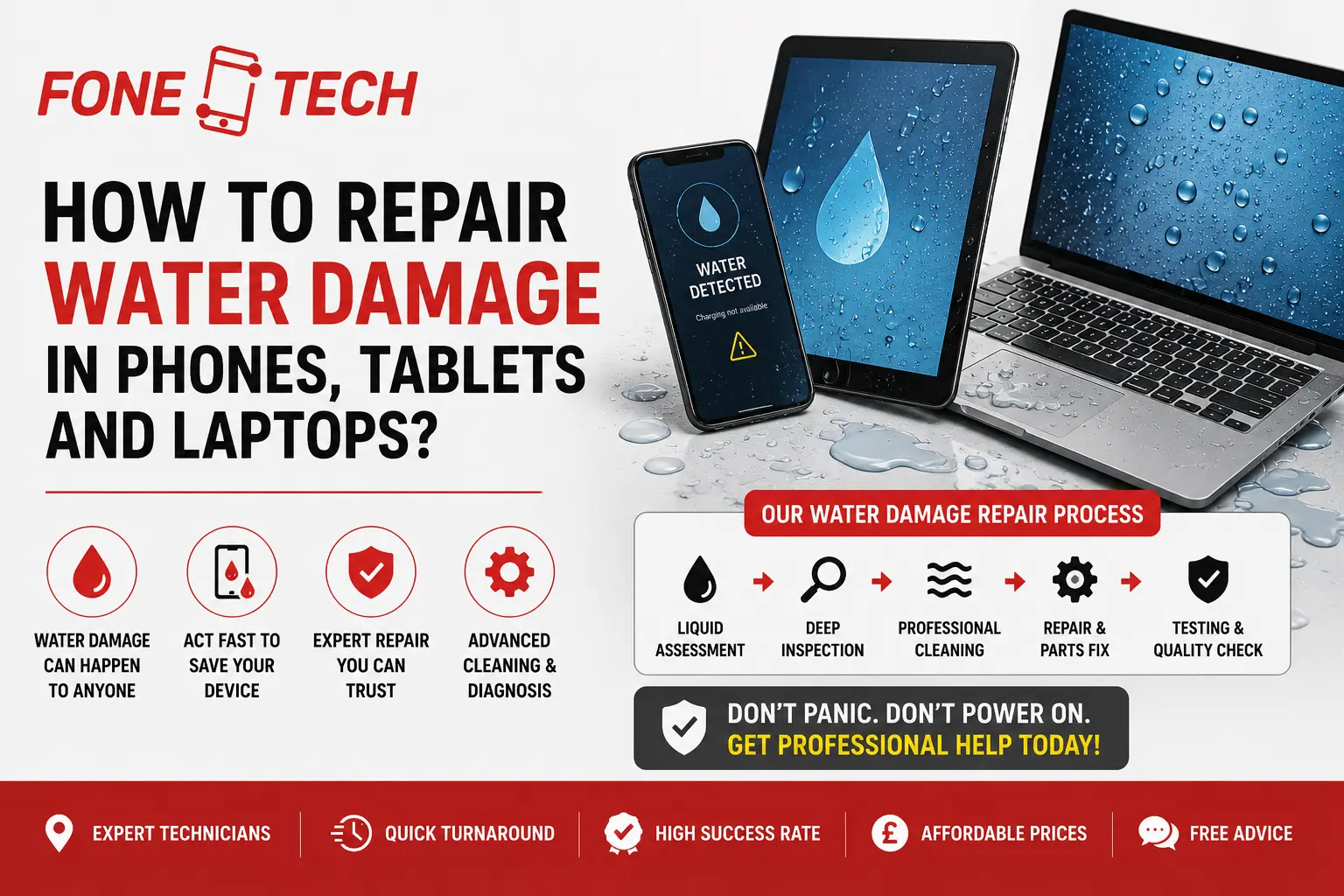
When it comes to professional liquid damage repair, there are a number of checks that are done to determine the source and extent of the problem.
- The usual repair procedure involves:
- Unboxing and examining damaged parts.
- Disconnecting the battery, as appropriate.
- Inspecting motherboard and connectors for corrosion.
- Professional cleaning of affected areas with appropriate techniques.
- Repairing damaged screens, batteries, ports or other parts.
- Testing before returning the device.
Why Different Liquids Need Different Cleaning Methods
Not all spills are created equal.
- Fresh water: May cause short circuits and corrosion.
- Coffee: Can cause deposits on connectors and circuit boards.
- Fizzy drinks: Sugar will leave sticky residue on internal parts.
- Salt water: May cause severe corrosion and requires immediate attention.
In severe spills, technicians can use specialized ultrasonic cleaning tools and appropriate anti-corrosion cleaning solutions to clean compatible circuit boards.
DIY Drying vs Professional Repair
| Repair factor | DIY drying | Professional repair |
| External moisture | Can remove visible moisture | Can also assess external damage |
| Internal corrosion | Cannot reliably remove it | Can clean affected areas |
| Component testing | Limited | Detailed inspection and testing |
| Part replacement | Usually unsuitable | Possible where required |
| Repair assessment | Cannot confirm internal condition | Technician provides a diagnosis |
Professional inspection is important because surface drying alone cannot confirm that internal components are safe.
How Much Does Water Damage Repair Cost?
Water damage repair cost depends on the device model, type of liquid and number of damaged components.
The cost of a basic internal cleaning might be cheaper than the cost of replacing a motherboard, screen or battery. Rust may also lead to higher repair expenses if it occurs extensively.
Our team at Fone Tech Grinstead thoroughly examines the device, discusses the repair options and gives you a quote before we begin the repair.
How Long Does Water Damage Repair Take?
The time to repair varies depending on the extent of damage and availability of replacement parts. Simple cleaning or replacement of parts may take less time, and motherboard repairs will need more detailed work.
The time to repair the motherboard at Fone Tech Grinstead is at least 5 working days. After inspecting your device, our team is able to give you an estimated turnaround time.
When Should You Visit a Professional Repair Technician?
Have a professional inspection done as soon as possible after a liquid spill, regardless of whether the device is functioning.
If your device:
- Will not switch on.
- Is not charging after getting wet.
- Has screen flickering or display problems.
- Produces unusual sounds.
- Becomes very hot or swells the batteries.
If you can find a professional liquid damage repair company early on, you may be able to save yourself from more damage and potential issues.
Conclusion: Water Damage Repair in East Grinstead
Knowing how to repair water damage in phones, tablets and laptops can help you take the right steps after a liquid spill. Quick action and professional inspection can reduce further damage and improve the chances of saving your device.
For professional water damage repair in East Grinstead call Fone Tech Grinstead at 01342 317563 or visit 41 London Road, East Grinstead, RH19 1AW. Call us today for a quote, inspection and repair options.
Frequently Asked Questions
If my phone is damp but still functional what should I do?
Turn it off, unplug accessories and do not charge. Dry exterior and schedule a professional inspection to look for moisture behind the walls.
Will rice absorb water from phones?
No. Rice is not capable of self drying internally. Switch off the phone in a dry place and get professional assistance.
Is it possible to repair a water damaged cell phone at home?
The exterior can be cleaned, but the interior and the repair of the parts must be done by a technician.
Should you hire a water damage restoration company?
Yes, if the repair is not too costly in comparison to replacement. A technician will be able to take a look at the damage first.
What is the time frame for water damage repair?
It depends on the damage and required parts. The repair time of motherboards at Fone Tech Grinstead is a minimum of 5 working days.